Lunara Lens · Android, iPhone and the web · English and Spanish
Is it real?
Ask, and hear the answer.
Lunara Lens checks photos, videos, voices and text for signs of AI, reads the Content Credentials that honest tools now write into their files, and protects the images you own with an invisible Lunara Mark. Everything it finds, it says aloud. Every feature answers to your voice.
Your assistant
Meet Rosario
Lunara Lens now has a voice and a name. Say “Rosario” and ask: “is this photo real?”, “what’s in front of me?”, “is this link safe?”, “remind me in twenty minutes to call Mum”, “read me this letter”, “translate this into Spanish”, “what’s my day look like?”. She answers aloud in English with an Italian accent, or in Spanish with a Venezuelan one, and keeps the conversation going hands-free.
Turn on the wake word and Rosario listens for her name while the app is open. Anything she does not know as a command she works out from what you meant.
Link and QR-code checks, letter and bill summaries with deadlines, reminders and notes by voice, a morning briefing with the weather, a family safe word against voice-clone calls, and an emergency screen that calls and shares your location.
The app is free. Sign in with Google and you get 50 welcome credits plus 20 every month for Rosario’s AI; everything that runs on your phone is free, always. Plans and credit packs are below.
Your personal assistant
At work and at home, she remembers, plans and writes
Rosario is becoming a real assistant, not just a checker. Everything personal (what she remembers, your lists, notes and reminders) stays on your phone and goes with a question only so she can use it.
“Rosario, remember that my daughter’s birthday is on the 3rd.” She uses what you tell her when it helps, shows you all of it, and forgets anything you ask.
“Add milk, bread and eggs to my shopping list.” Separate lists for work and for home; switch with “work mode”.
Time, weather, reminders and lists in one spoken briefing, and a plan for the day in priority order when you ask for one.
Photograph a letter, bill or appointment. She explains it in plain words, says what to pay and by when, and sets the reminder.
Replies, emails, complaints and letters in your voice, in English or Spanish, friendly or firm, ready to copy or send.
Someone on the phone says they are your bank? She tells you exactly what to say, what not to do and how to check, while it is happening.
A hands-free conversation: ask, add, plan and remember without touching the screen.
Two people, two languages, automatic turns: each speaks, she translates aloud, and it is the other’s turn.
The first job: is it real?
Evidence first, then judgement, always said out loud
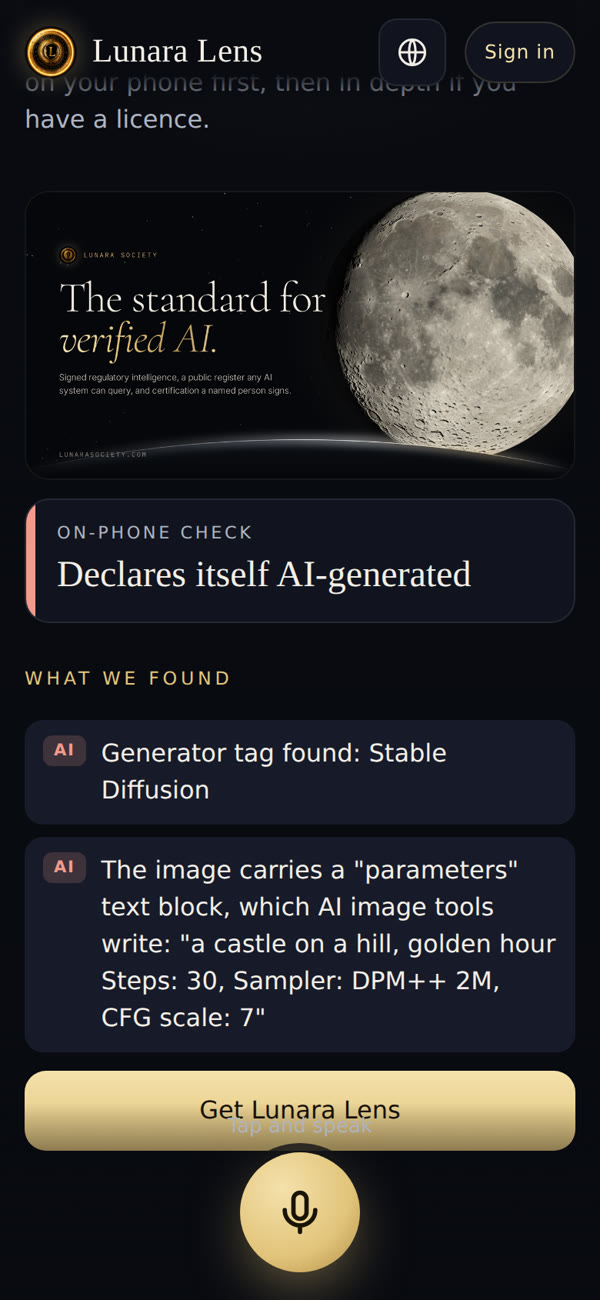
Every check runs in two steps. The first happens on your phone, for free, and reads what the file says about itself. The second, with credits, looks at the content itself and weighs everything together.
Reads C2PA Content Credentials, the IPTC “trainedAlgorithmicMedia” label that Google, Meta, Adobe and OpenAI use, and the prompt blocks Stable Diffusion and ComfyUI leave behind. Shows an error-level map, then examines hands, text, light and texture.
Scans the file for generator labels (Sora, Veo, Runway, Kling and others), samples six frames across the clip and compares them for faces, lips and backgrounds that change when they should not.
Record a call on speaker or open a voice note. Lens measures bandwidth, noise floor, pitch and pauses, reads any credentials in the file, and checks what was said for the patterns of voice-clone scams. A synthetic voice made with ElevenLabs is identified by its own signed credentials.
Looks at rhythm, stock phrasing and structure, and says “can’t tell” for short passages. People are harmed when their own writing is called AI, so Lens needs several strong signals before it leans that way.
Paste a message or share a screenshot. Lens names the pressure tactics (urgency, secrecy, gift cards, a link that does not match the sender) and gives one safe next step.
Point it at a screen, a poster or a printed photo. Without file data only what is visible counts, and Lens says so.
No detector can prove that something was or was not made by AI, and any app that tells you otherwise is selling certainty it does not have. Lunara Lens tells you what the evidence shows, how strong each piece is, and what to do next. When the honest answer is “can’t tell”, that is the answer you hear. That is the same standard this institution holds itself to in everything it publishes.
Protect what you own
The Lunara Mark: invisible in the picture, public in the register
Mark a photo before you post it. Lens writes an eight-character mark into the image itself, spread invisibly across hundreds of blocks, and records who registered it, when, and the SHA-256 fingerprint of the original in the Lunara register. Anyone can check any image with Lens or on the verification page, without an account.
Re-saving as JPEG down to low quality, and cropping. Tested on every build against photographs, graphics and text-heavy images.
Resizing, rotation, heavy filters and screenshots at a different scale. We say so in the app, because a mark sold as indestructible would be exactly the kind of claim we exist to check.
The same mark is written into the file’s XMP data with a link to its record, so any software that reads metadata can find the owner too.
And the rest of the day
Help seeing, reading, talking and staying calm
Point the camera and hear the scene described, with steps, traffic and signs called out. Guide mode describes again every ten seconds.
Menus, letters, labels and medicine packets, read on the phone for free, or by the AI when the print is hard.
Up to eight times zoom with contrast, inversion and the torch. The colour finder names what the centre of the screen is pointing at.
Text, speech or a photo of a sign, between English and Spanish. Conversation mode lets two people talk through the phone, and Lens suggests up to three replies.
A small shelf on the phone and your own Google Drive for more. Say “put the latest five photos in the folder Trips” and it is done.
Box and 4-7-8 breathing, a spoken 5-4-3-2-1 grounding exercise, and a medical card kept only on your phone, shown large and read aloud.
Pricing
Free to use. Pay only for the AI you use.
The app is free and so is everything that runs on your phone. Rosario’s AI uses credits: every account gets 50 welcome credits and 20 more every month. A question to Rosario is 4 credits, a full AI check of a photo or text is 25, of a voice or message 20, a video check 60. Checking a Lunara Mark on the verification page stays free for everyone, without an account.
- 800 credits every month: about 80 AI checks, or 400 questions
- Every Rosario feature
- 2,500 credits every month
- Rosario’s natural voice
- Every Rosario feature
- 7,000 credits every month
- The deepest AI checks
- Rosario’s natural voice, and new features first
- $17.99 for 1,500 credits
- $49.99 for 5,000 credits
- Bought credits never expire
- The Lunara Detection API: images, video frames and text
- The same evidence-first answers, as JSON
- Keys created in the app, stored by us only as a fingerprint
In the Android app from Google Play, plans renew monthly through Google Play and are cancelled there. On the web, you pay by card, Apple Pay or Google Pay through Stripe; plans renew monthly until you cancel, which you do yourself in the app (Shop, Manage subscription), and your credits are added to your account as soon as each payment completes. Unused monthly credits do not roll over.
Questions
Asked before anyone buys
Does it work on iPhone?
Yes. Open the app in Safari and choose Share, then Add to Home Screen. It runs full screen with the camera and microphone. The Android download is the same app packaged for Android.
What leaves my phone?
On-phone checks never leave it. When you use Rosario’s AI, the image, frames or text are sent to Lunara’s server for that one answer and not kept; what is kept is which action you used and its credits. Your memory, lists, notes and files stay on your phone unless you copy files to your own Google Drive. The full privacy policy.
Can it tell me for certain that something is fake?
Only when the file says so itself: Content Credentials or a source label declaring AI generation are statements by the tool that made it. Everything else is evidence of varying strength, and Lens tells you which is which.
What languages does it speak?
English and Spanish, for the interface, the voice, the voice commands and translation. More languages are planned.
How do credits work?
Every AI action has a fixed price in credits, shown in the app before you use it; if an answer fails, the credits come back. Monthly plan credits are used first, then bought ones. Everything on the phone is free. In the app, Credits shows your balance in plain words, like “about 40 AI checks”.
I paid on the web. How do I get my credits?
They are added by themselves: you pay from Credits in the app while signed in, and Stripe's checkout is tied to your account. If you closed the page before coming back, open Credits again and the payment is found. If anything ever looks wrong, email lunarasociety@gmail.com with the email on your Stripe receipt and we fix it the same day.
How do I delete my account?
In the app: Account → Delete my account. Or follow the steps on the account deletion page.